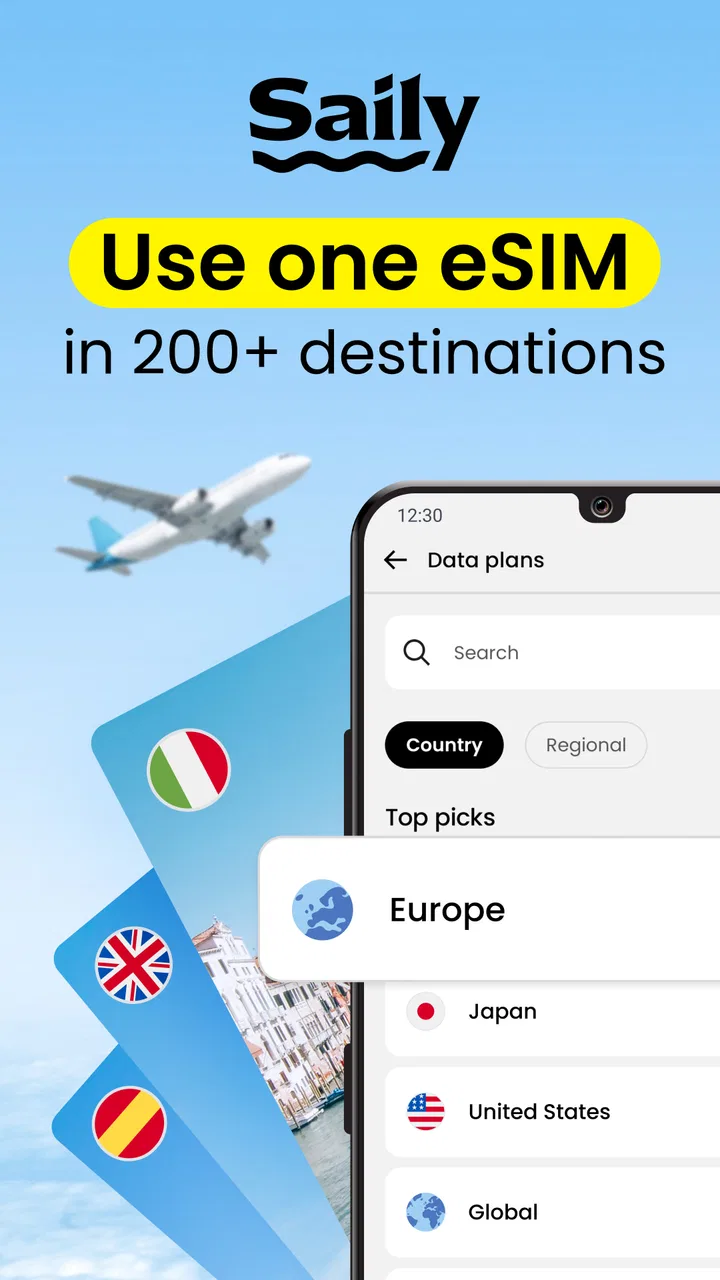
Saily: eSIM + phone number
- 4.5
- Rating
- 5.00M
- Installs
- Free
- Price

 Analysis by App-foxy
Travel connectivity is easy to judge only after it fails. I tested Saily: Travel eSIM & Data with that in mind: not just whether it can help avoid roaming, but whether a traveler can understand the choices, complete setup without unnecessary friction, and stay oriented when tired, rushed, or working with limited sensory or motor comfort. Saily is a free Travel & Local app from Nord Security that brings multiple eSIM data plans into one place. It is available to everyone by age rating, supports devices running OS 10 or later, and its current version is 3.29.0.
My overall impression is positive, especially for people who want a simpler alternative to buying a local SIM after landing. The app’s main idea is straightforward: choose a destination, select a data plan, install the eSIM, and use mobile data while abroad. That sounds routine, but the useful part is having the travel decision and the digital installation in one guided flow. The less comfortable part is that eSIM setup still depends on the phone, the operating system, and the user’s ability to follow technical prompts at the right moment.
How clearly the app guides a traveler from choice to connection
I focus here on the handoff from browsing plans to getting a working connection, because that is where Saily’s convenience has to prove itself. I find the clearest approach is to treat each step as a separate decision: choose the destination, check the plan, then handle installation with time to spare. That gives me a useful basis for looking more closely at what the app’s guided flow can—and cannot—smooth over.
You May Also Like

 Blood Strike: 2.5 Anniversary
Blood Strike’s Loadouts Turn Every Drop Into a Tactical Gamble
A close look at Blood Strike’s custom loadouts: how fast access to signature weapons reshapes its battle royale rhythm, rewards preparation, and narrows the gap between fights.

 Pandora - Music & Podcasts
Pandora’s Music Is Easy to Start, but Harder to Recover
Pandora’s strength is its low-effort path from a seed to a station. Its weak spot is how much confidence it asks you to place in connection, setup, and quiet recovery.

 8 Ball Pool
 Is Built on Rivalries, Rematches, and Routine
A close look at the rivalries, rematches, shared routines, and unanswered safety questions that turn a quick pool match into a persistent mobile community.

 Samsung Music
’s Quiet Strength Is Playing What You Already Own
Its reach comes less from spectacle than from dependable access to a personal library. That simplicity is both the app’s strongest retention engine and its ceiling.

 AccuWeather: Weather Radar
AccuWeather Review: A Quick, Clear Forecast for Everyday Decisions
For everyday plans, the best forecast is the one you can understand quickly. AccuWeather makes rain timing, radar, and local conditions easy to act on, with a few trade-offs.

 Hill Climb Racing
Why Hill Climb Racing Still Turns Crashes Into One More Run
A tiny car, a bumpy hill and one more upgrade: Hill Climb Racing keeps resurfacing because its simple chaos makes every near-miss feel personal.
More From Our News Desk



Readability and navigation before the trip
The strongest design choice is the app’s narrow purpose. I do not have to browse a general telecom portal, compare unrelated services, or search for a country-specific page on a carrier website. The travel context is visible from the beginning, and that makes the first decision easier: where am I going, and how much data do I expect to need? For a person who is already planning flights, accommodation, and transport, reducing that first layer of searching matters.
The app is also easier to understand when I treat it as a data tool rather than a replacement for a normal phone plan. An eSIM data plan can support maps, messaging, translation, ride-hailing, email, and browsing, but that does not automatically mean traditional calls or text messages work in the same way. I would explain that distinction to a friend before departure, because a clean interface cannot remove the difference between mobile data and a full local cellular service.
Navigation is most useful when completed before leaving home. I can review the destination and prepare the plan while I still have reliable Wi-Fi, rather than trying to make a purchase in an airport with weak public internet and a low battery. That workflow is one of the app’s practical advantages over a physical SIM bought on arrival: the preparation happens in advance, and the digital plan is associated with the phone instead of a tiny card that must be removed and stored.
For readability, I found that short, direct instructions are more valuable than a crowded explanation of mobile technology. The important information should be read in sequence: destination, plan choice, installation, activation, and data use. I recommend slowing down at the installation stage instead of tapping through automatically. On a dual-SIM phone, the labels for the existing line and the travel eSIM need to remain clear, because choosing the wrong line for mobile data can create confusion later.
The app has earned a 4.7 average from around 83 thousand ratings, and it has passed one million installs. Those figures suggest that it is not an obscure experiment, but they should not replace personal checking. The experience still depends on the phone model and the traveler’s comfort with eSIM settings. A high rating tells me the basic proposition works for many people; it does not guarantee that every device, destination, or accessibility need will feel equally simple.
Making the plan understandable for different travel styles
A useful way to choose a plan is to start with the tasks I will perform, not with an abstract idea of “enough internet.” A traveler who mainly needs occasional directions and messages can think differently from someone uploading photos, joining work meetings, or using cloud-based navigation all day. I would estimate usage around the actual itinerary: long train journeys, remote work, video calls, and frequent map use all make a larger allowance more sensible than a short city break spent mostly on Wi-Fi.
This is also where the app can be more inclusive than a physical purchase made under pressure. Someone who finds noisy shops, unfamiliar accents, or fast face-to-face sales conversations difficult can prepare privately. They can enlarge the phone’s text if their device supports it, use system-level reading or magnification tools, and complete the process in a familiar environment. I would not describe that as a special accessibility mode in the app; it is the benefit of having a digital workflow that can work alongside the phone’s own settings.
There is a trade-off, though. A traveler who prefers paper instructions or a physical object may find an eSIM less reassuring than a local SIM card. The app cannot make digital installation tactile, and anyone who depends on a second device for instructions may need to plan how the activation details will be viewed. I would prepare the phone first, keep the app available, and avoid deleting anything until the travel line is visibly installed and usable.
Motor and sensory considerations during setup
Installing an eSIM is not physically demanding, but it can require several precise taps through phone settings. That matters for users with tremors, reduced dexterity, or fatigue. The most helpful approach is to do it while seated, with the phone charged and no time pressure. If a prompt appears inside the operating system rather than the app, I would read the full screen before selecting a line or confirming a change. A rushed tap can be harder to undo than the original setup.
For people with low vision, the app’s usefulness depends partly on the phone’s own display controls. Larger text, screen magnification, high-contrast choices, and a screen reader may help, but the exact result can vary between the app and the device settings. I would test the complete purchase-and-installation route at home, not only the opening screen. A layout that looks readable in the store can still become difficult when system menus, confirmation panels, and network indicators appear.
For users with hearing loss, the data-focused nature of the service is helpful because the core task does not need a spoken conversation with a shop employee. Messaging, maps, translation, and written travel information can all work through the data connection. At the same time, connectivity does not solve every communication barrier. A traveler may still need to use separate apps or local services for captioning, visual alerts, or communication with accommodation staff.
People sensitive to animation, crowded screens, or notification noise may prefer to complete the process in stages. I would choose the destination and plan first, pause to check the details, and install only when ready. This is not a hidden setting I can promise inside Saily; it is a calmer workflow that reduces the number of decisions made at once. The app is at its best when I use it as a preparation tool, not as an emergency button after landing.
Situational access: airports, borders, and everyday travel
The most realistic use case is arriving in a new city after a long journey. I want to open a map, check the route to my accommodation, message the host, and possibly order transport without searching for a kiosk. If the eSIM was installed before departure, the app’s value is felt at that exact moment: I can focus on the journey instead of negotiating a local SIM purchase while carrying luggage.
Another good scenario is a short multi-stop trip. Rather than buying a separate physical SIM at every stop, I can manage travel data through one app and keep the phone’s normal line available for other purposes. The convenience is especially clear for travelers who move between countries quickly and do not want to handle several small cards. I would still review the destination coverage and plan details before each trip, because “one app” does not mean one plan automatically fits every itinerary.
For remote workers, the app can be a useful backup when hotel Wi-Fi is unreliable. I would use it for email, document access, authentication messages delivered through data-based services, and occasional work communication. I would be more cautious about making it the only connection for a critical meeting or a large upload. Mobile performance can vary with local networks and location, and a travel eSIM is not a guarantee of stable high-bandwidth service everywhere.
Families and group travelers may also benefit, but the setup question becomes more complicated. One person’s plan does not automatically provide every companion with connectivity unless the phone supports an appropriate sharing arrangement and the plan permits the intended use. I would decide in advance which device needs data most urgently: the phone carrying the maps, the device used by a child, or the one needed for work. That avoids discovering at the airport that the wrong phone has the active connection.
For people who travel with assistive technology, preparation is even more important. Navigation tools, communication aids, remote support, and cloud-based accessibility services may depend on dependable data. I would test those exact apps over Wi-Fi before departure, then verify that they behave as expected once the travel line is selected for mobile data. The eSIM can remove one barrier—finding connectivity—but it cannot guarantee that every third-party service will work in every location.
What remains difficult or easy to misunderstand
The largest remaining barrier is technical confidence. “Digital SIM” sounds simple, but users still need a compatible phone, an unlocked device where required, and enough familiarity with mobile settings to select the correct line. The minimum supported operating system is 10, yet operating-system support alone does not answer every hardware question. I would check the phone’s eSIM capability before buying and avoid leaving that check until the departure day.
Another limitation is the dependence on a working internet connection during preparation. If I wait until I am already offline, the installation process becomes much less comfortable. Airport Wi-Fi can involve sign-in pages, crowded networks, or accessibility challenges of its own. Preparing at home is therefore not just convenient; it is an important reliability step. I would keep the app installed, save the relevant account access details securely, and confirm the travel line appears in the phone’s settings.
Data-only service can also surprise people who expect a local number. If a trip requires ordinary cellular calling, a local SIM or a conventional roaming package may be a better fit. Saily makes more sense when the main needs are internet-based: maps, messaging platforms, translation, reservations, and browsing. I would not choose it as the sole solution for a traveler whose essential support depends on a standard phone number unless that requirement has been handled separately.
There is a financial and practical trade-off compared with a carrier’s roaming package. The app may feel clearer for someone who wants a travel-specific data option, while a carrier plan can be simpler for a person who wants one existing number, one bill, and no change in SIM settings. A physical local SIM may also be preferable when a traveler needs a local number or wants help from a shop employee. Saily’s advantage is preparation and convenience, not universal superiority.
Support and troubleshooting are another point where expectations should stay realistic. If the phone shows no data after landing, the cause might be the selected data line, a disabled roaming setting for the travel eSIM, a local network issue, or an installation problem. I would check those basics in a calm order rather than immediately reinstalling the plan. Removing an eSIM without understanding the situation can create a new problem, especially when the traveler is away from stable Wi-Fi.
The app is free to install, but that should not be confused with unlimited travel data at no cost. The service revolves around choosing data plans, so I would review the plan’s allowance and destination before confirming a purchase. I would also avoid assuming that unused data, automatic renewal, or hotspot use works exactly as it does with a home carrier. Those details are important enough to verify in the plan screen and device settings at the time of travel.
Who should use it, and who should choose another route
I would recommend Saily to travelers who want to prepare before departure, use data-heavy travel tools without relying entirely on public Wi-Fi, and avoid handling physical SIM cards. It is particularly appealing for short trips, multi-country itineraries, and people who prefer completing practical tasks privately on a phone rather than at a busy airport counter. Its placement in Travel & Local feels appropriate because the app solves a travel problem rather than trying to replace every part of a mobile contract.
I would be more cautious recommending it to someone who needs a local telephone number, depends on a carrier’s bundled voice service, or is uncomfortable changing SIM settings. It may also be the wrong first choice for a traveler whose phone does not support eSIM or whose essential work depends on guaranteed, continuous high-capacity connectivity. In those cases, a familiar carrier package, a physical local SIM, or a second connection may provide more reassurance.
For inclusive use, my advice is simple: set it up when rested, use the phone’s accessibility controls, keep the existing line clearly labeled, and test the apps that matter most. Travelers with limited dexterity should avoid doing the installation while standing in a queue. Travelers with low vision should test magnification or screen-reader behavior across both Saily and the phone’s network menus. Travelers who rely on written communication can benefit from avoiding an in-person purchase, but should still plan for support if the connection fails.
Nord Security has made a focused travel app rather than a complicated telecom dashboard, and that focus is its main strength. The service has a 4.7 average and over one million installs, which gives it a substantial user base, while the Everyone rating keeps its intended audience broad. I like that the central workflow can be understood without expert knowledge, but I would not hide the fact that eSIM technology still asks users to make a few careful device-level decisions.
My final view is that Saily is a practical, considerate option when the goal is mobile data abroad with less physical handling and less last-minute searching. It supports different abilities best through preparation, readable decision-making, and compatibility with the phone’s own accessibility tools, rather than through promises of a universal experience. The most inclusive way to use it is to install and test the plan before travel, while there is still time to choose another connection if the phone or personal workflow does not cooperate.
FAQs for Saily: eSIM + phone number
01What is Saily: Travel eSIM & Data and how does it work?
Saily: Travel eSIM & Data is an app designed to provide travelers with convenient mobile data solutions through eSIM technology. It allows you to purchase and activate data plans without needing a physical SIM card, making it ideal for those traveling internationally. Simply download the app, choose your destination and data plan, and follow the setup instructions to start using your data.
02Is Saily compatible with my phone?
Saily is compatible with most modern smartphones that support eSIM technology. This typically includes newer models from brands like Apple, Samsung, Google, and Huawei. To ensure compatibility, check your phone's specifications for eSIM capability or consult your device's manual. Additionally, make sure your device is unlocked for international use.
03What are the benefits of using Saily compared to traditional SIM cards?
Using Saily offers several advantages over traditional SIM cards. It eliminates the need for physical swaps, reduces the hassle of finding local SIM cards, and provides instant access to various data plans tailored to your travel needs. This flexibility allows you to stay connected seamlessly without interrupting your travel plans, saving time and effort.
04How secure is my data when using Saily?
Saily prioritizes user security by implementing robust encryption protocols to protect your personal information and data usage. The app uses secure servers and complies with international data protection standards to ensure your data remains private and secure. However, always ensure your device is up to date with the latest security updates for maximum protection.
05Can I manage multiple eSIM plans through Saily?
Yes, Saily allows users to manage multiple eSIM plans from within the app. This feature is particularly useful for frequent travelers who visit multiple countries. You can easily switch between different plans, monitor data usage, and top up as needed, all from the convenience of your smartphone.
Pros
- Easy setup process for quick connectivity.
- Flexible data plans for various needs.
- Supports multiple countries globally.
- User-friendly interface for all ages.
- No additional roaming charges.
Cons
- Limited customer support options.
- May not cover remote areas effectively.
- Data speeds can vary by location.
- Requires a stable initial internet connection.
- Limited compatibility with older devices.

Saily: eSIM + phone number
Gallery